
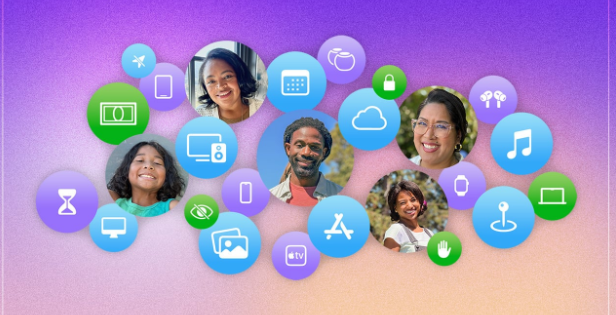
iCloud Family Sharing is one of Apple’s most powerful features. It helps families stay connected, share purchases, and manage content safely. With this smart feature, you can share iCloud storage, apps, music, and more — all while keeping everyone’s data private. This makes family management effortless, organized, and secure across Apple devices.
Understanding how iCloud Family Sharing works gives you control over what’s shared and what’s private. Whether you want to set up shared storage, approve app downloads, or monitor screen time, iCloud Family Sharing brings all these options together in one place. Let’s dive into how this feature helps families save time, money, and effort.


What Is iCloud Family Sharing
iCloud Family Sharing allows up to six people to share Apple services using their individual Apple IDs. It connects family members under one organizer while keeping their personal files separate. Each person enjoys access to shared subscriptions, iCloud storage plans, and digital purchases without mixing private data.
In short, this feature builds a digital household. It makes sharing photos, reminders, and calendars smooth while maintaining privacy. With just one setup, everyone gets access to shared music, TV shows, and apps, making it both convenient and secure.
How Does iCloud Family Sharing Work
When you activate iCloud Family Sharing, one family organizer invites other members using their Apple IDs. Once added, everyone can access shared content like iTunes purchases or Apple TV+ subscriptions. The organizer manages payment methods, ensuring all purchases come from one shared source.
Meanwhile, iCloud keeps personal data separate. Each user’s photos, messages, and documents remain private. Shared services like storage or Apple Music are accessible to everyone, making it simple to manage content while maintaining privacy and control.
Steps to Set Up iCloud Family Sharing
Setting up iCloud Family Sharing is easy. Start by opening Settings on your Apple device. Tap your name, select Family Sharing, and follow the prompts to invite members. Once everyone accepts, you can select what to share — subscriptions, location, or iCloud storage.
Additionally, parents can create child accounts with specific permissions. These accounts allow parental approval for app downloads or in-app purchases. Through this setup, families gain control, balance, and protection while staying connected digitally.
Benefits of Using iCloud Family Sharing
Using iCloud Family Sharing offers countless advantages. Firstly, it saves money. Rather than buying multiple subscriptions, families share one Apple Music, Apple TV+, or iCloud storage plan. Secondly, it improves organization. Shared calendars and reminders keep everyone updated.
Moreover, it enhances safety. Parents can monitor children’s online activities, approve app installations, and manage screen time. Finally, it simplifies device management. If someone loses an Apple device, family members can help locate it through the shared Find My feature — making iCloud Family Sharing both practical and secure.
Managing Purchases with iCloud Family Sharing
With iCloud Family Sharing, you can share App Store purchases, music, movies, and books. Each member can download and enjoy these items without paying again. The family organizer covers all purchases through one shared payment method.
However, children require permission before completing purchases. This “Ask to Buy” feature ensures control and prevents unwanted spending. Because of this setup, families enjoy convenience without worrying about accidental charges or privacy breaches.
iCloud Storage Plans and Sharing Options
iCloud Family Sharing also allows users to share storage plans of 200GB or 2TB. This eliminates the need for individual plans. Each family member gets their private section within the shared space, ensuring no one can see another’s files.
Additionally, managing storage becomes simpler. The organizer can check usage and decide when to upgrade or clean up files. This shared structure reduces waste, increases efficiency, and helps maintain digital balance within the family.
Parental Controls and Screen Time
For families with children, iCloud Family Sharing introduces strong parental control tools. Parents can set screen time limits, block inappropriate content, and control app downloads. They can also track device usage and receive weekly activity reports.
With these tools, parents ensure their children use devices safely. Transitioning between entertainment, education, and rest becomes easier. Through iCloud Family Sharing, parents maintain authority while promoting healthy technology habits.
Location Sharing and Safety Features
iCloud Family Sharing enables real-time location tracking. Members can share their location through the Find My app, which helps families stay connected and secure. Parents can see where children are, while adults can locate lost devices instantly.
Besides, this feature ensures peace of mind during travel or emergencies. If a device is misplaced, another family member can help locate it. Consequently, this builds safety, trust, and quick response capability for everyone in the group.
Troubleshooting iCloud Family Sharing Issues
Sometimes, iCloud Family Sharing may face setup or syncing issues. Common problems include missing shared content or invitations not appearing. Usually, signing out and back into iCloud, checking Apple ID settings, or restarting devices resolves the problem quickly.
If storage or subscription sharing doesn’t work, verify that the plan is eligible for Family Sharing. Maintaining updated iOS versions across all devices also prevents errors. By following these steps, families keep their sharing experience smooth and secure.
Privacy and Security with iCloud Family Sharing
Apple prioritizes security in every shared service. Even though families share access to content, private files remain encrypted and safe. Each Apple ID operates independently within the family group. No one can see another person’s photos, emails, or backups.
Furthermore, Apple uses two-factor authentication to enhance protection. Whether sharing data or managing purchases, all actions stay within a trusted, private ecosystem. As a result, iCloud Family Sharing ensures convenience without compromising data safety.
Conclusion
iCloud Family Sharing makes digital life easier. It connects families under one secure umbrella, encourages collaboration, and protects personal data. From shared calendars to iCloud storage, every feature adds value and safety.
If you want seamless access to Apple services while maintaining privacy and control, start using iCloud Family Sharing today. Set it up, invite your family, and experience the smarter way to stay connected.
FAQs
1. How many people can join iCloud Family Sharing?
Up to six members, including the organizer, can join iCloud Family Sharing.
2. Can I share my iCloud storage plan with others?
Yes, you can share 200GB or 2TB iCloud plans with all family members.
3. Is my data visible to other family members?
No, all personal files and backups remain private and secure.
4. What happens if a family member leaves the group?
When someone leaves, they lose access to shared purchases but keep their personal data.
5. Can I use Family Sharing without sharing my payment method?
No, the organizer’s payment method is required for shared purchases, though child approvals remain under control.
